Browser-based. No install required.
Georeferenced Photo Reports. Instantly.
Capture. Map. Export. Professional site documentation in minutes — directly from your browser.
Capture. Map. Export. Professional site documentation in minutes — directly from your browser.
Three steps from raw site photos to a polished, map-backed report.
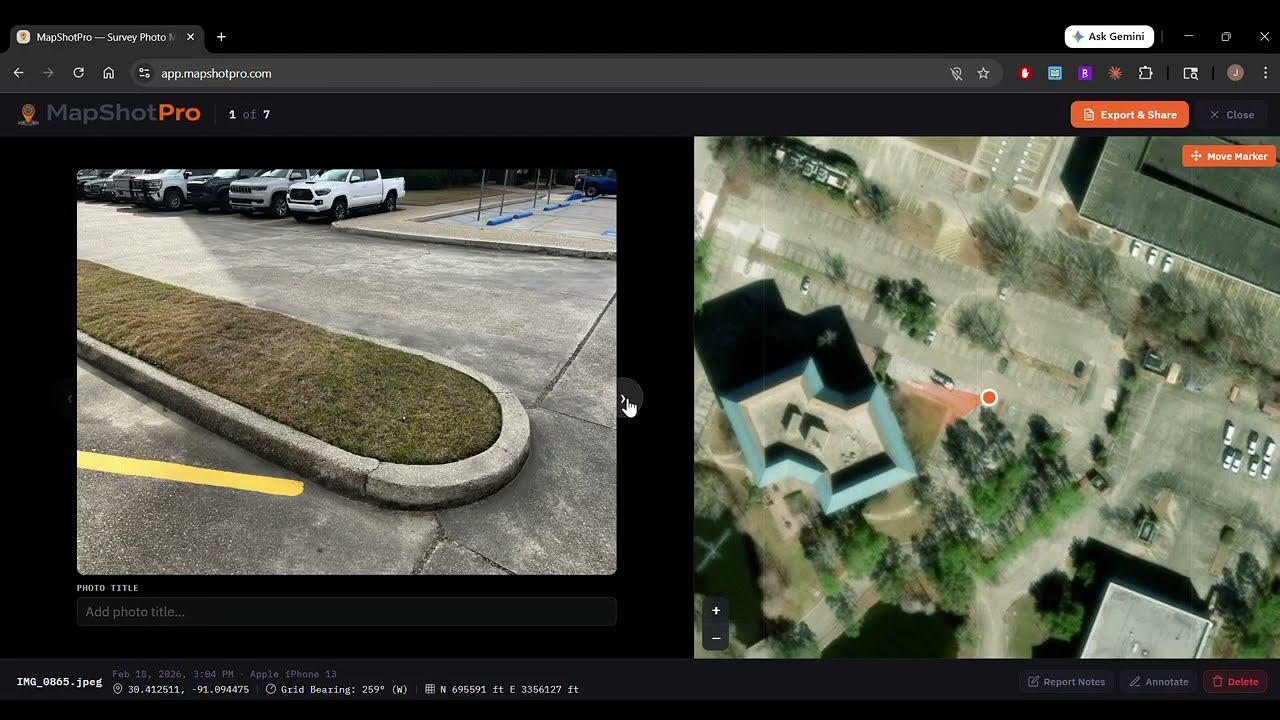
Drag and drop photos from your phone, camera, or drone. JPG, PNG, and HEIC are all supported. GPS and compass data are read automatically from EXIF metadata.
Each photo is plotted on aerial imagery with a directional cone showing camera bearing. Filter by date, overlay CAD drawings, and switch between seven basemap layers.
Generate professional PDF reports with cover pages, photo grids, and custom branding. Choose from multiple layouts and color themes to match your company style.
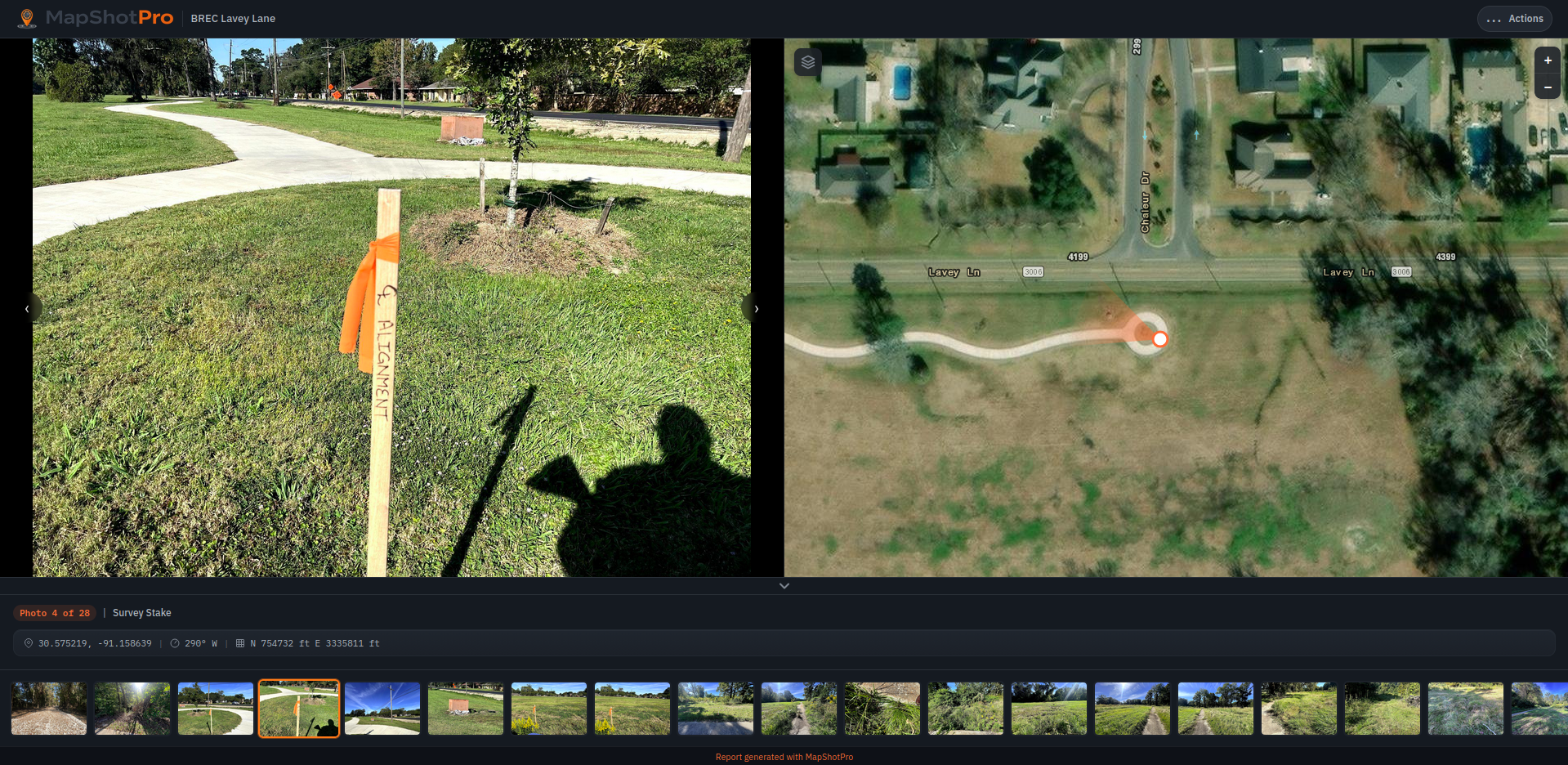
Browse a real photo report — navigate between shots and see each location on the map.
Everything you need for field-to-office photo documentation.
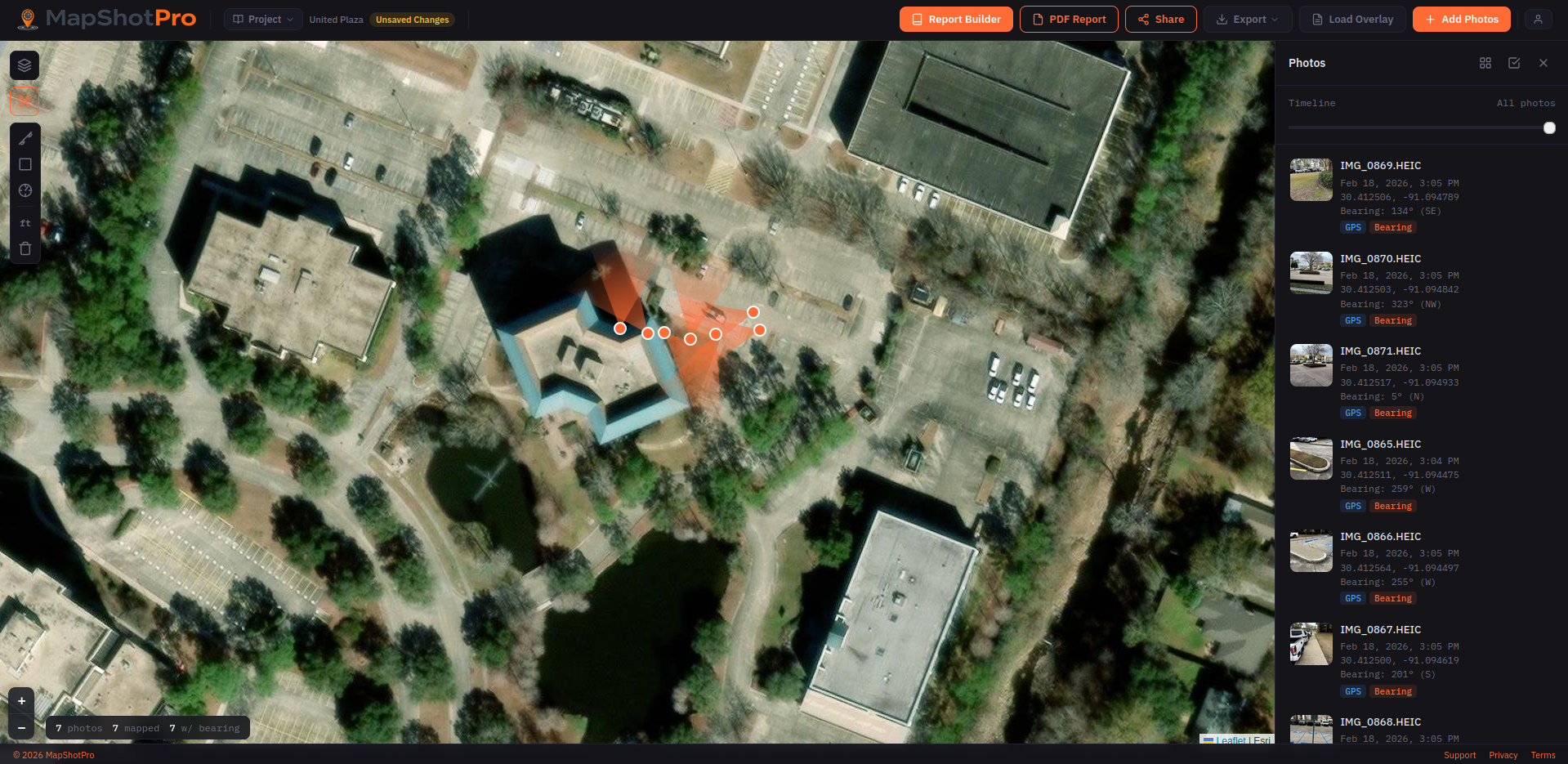
The full MapShotPro interface — interactive map, photo sidebar, and toolbar.
Pan, zoom, and click through photos on a live aerial basemap with marker clustering and seven layer options.
Compass bearing from EXIF data renders a directional cone on each marker, showing exactly where the camera was pointed.
Add your company logo, project details, and choose from eight professional color themes for your exported reports.
Generate multi-page reports with cover page, overview map, photo grids, and individual photo pages — all publication-ready.
Save and load project files with all metadata, annotations, and settings. Auto-save keeps your work safe between sessions.
Import DXF drawings and Shapefiles with automatic State Plane coordinate reprojection. Layer them over aerial imagery for context.
MapShotPro is designed for anyone who needs to document site conditions with geolocated photography and deliver organized, map-backed reports to clients and stakeholders.
Document site conditions with map-backed evidence
Photo reports that show exactly where you were standing
GPS + compass data plotted automatically from your photos
Share progress documentation with clients in minutes
Overlay field photos on aerial imagery for context
Yes. Every new account gets a 7-day free trial of Pro, triggered the first time you use any Pro feature inside the app — saving a project, adding a CAD overlay, generating a share link, or exporting without a watermark. No credit card is required up front. When the trial ends, your account stays on the free plan; you won't be charged unless you explicitly upgrade. Each account is eligible for one trial.
No. MapShotPro runs entirely in your browser — no downloads, no plugins, no app store. Just open the link and start uploading photos.
JPG, PNG, and HEIC. GPS coordinates and compass bearing are read automatically from EXIF metadata embedded in your photos.
You can manually place photos on the map by clicking their desired location. You can also adjust any auto-placed markers by dragging them.
Seven layers including satellite/aerial imagery, street maps, and topographic views. Switch between them anytime with one click.
Pro users can import DXF and Shapefile formats with automatic State Plane coordinate reprojection. Layers appear over the aerial basemap.
All photo processing happens in your browser. Your images never leave your device unless you generate a shareable report link.
MapShotPro works in all modern browsers. For the best experience we recommend Chrome or Edge, which support the "Choose Local Folder" feature for seamless auto-saving. Firefox and Safari users can save and load projects using the Save As and Open Project options.